Drive Mad: Physics Racing
- 4.7
- Rating
- 10.00M
- Installs
- Free
- Price

 Analysis by App-foxy
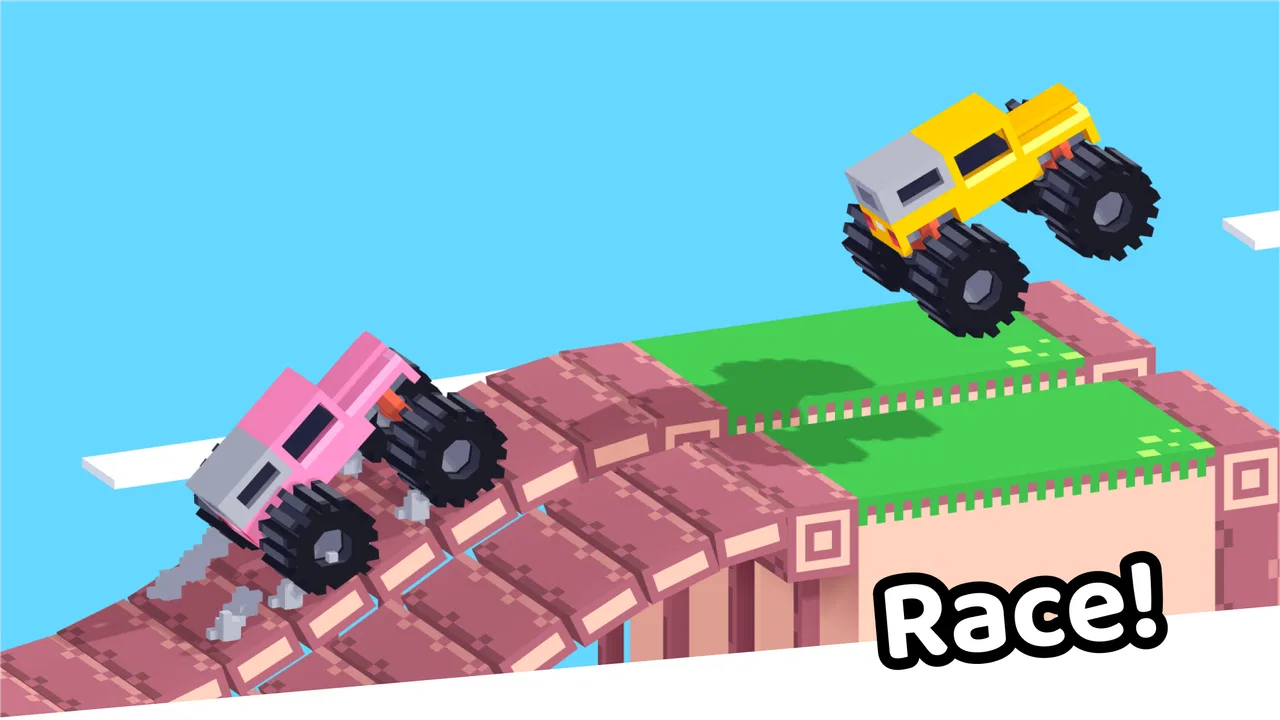
I approached Drive Mad expecting a quick racing game and found something more deliberately awkward than a standard track racer. Its central appeal is not polished speed or realistic driving; it is the challenge of guiding strange cars through badly behaved-looking courses without losing control. That makes it easy to start, but surprisingly easy to blame the game when a failed attempt may actually come from timing, touch input, or a poor setup.
This is a free racing game from Poki, rated for Everyone, and it is available for devices running Android 6.0 or later. It has passed one million installs and holds an average rating of 4.2 from around 4.5 thousand ratings, so it clearly attracts players who enjoy short, immediately understandable challenges. I think that audience description is more useful than treating it like a conventional driving simulator: this is best approached as a compact test of reactions and control, not as a serious motorsport experience.
What makes the driving feel different
The first thing I noticed is that the car is only one part of the problem. The course itself demands attention, and the unusual vehicle handling means that simply pressing forward is rarely enough. I had to watch the shape of the route, anticipate changes, and make small corrections instead of reacting after the car was already in trouble. That creates a useful rhythm: observe, commit, correct, and try again.
You May Also Like

 Blood Strike: 2.5 Anniversary
Blood Strike’s Loadouts Turn Every Drop Into a Tactical Gamble
A close look at Blood Strike’s custom loadouts: how fast access to signature weapons reshapes its battle royale rhythm, rewards preparation, and narrows the gap between fights.

 Pandora - Music & Podcasts
Pandora’s Music Is Easy to Start, but Harder to Recover
Pandora’s strength is its low-effort path from a seed to a station. Its weak spot is how much confidence it asks you to place in connection, setup, and quiet recovery.

 8 Ball Pool
 Is Built on Rivalries, Rematches, and Routine
A close look at the rivalries, rematches, shared routines, and unanswered safety questions that turn a quick pool match into a persistent mobile community.

 Samsung Music
’s Quiet Strength Is Playing What You Already Own
Its reach comes less from spectacle than from dependable access to a personal library. That simplicity is both the app’s strongest retention engine and its ceiling.

 AccuWeather: Weather Radar
AccuWeather Review: A Quick, Clear Forecast for Everyday Decisions
For everyday plans, the best forecast is the one you can understand quickly. AccuWeather makes rain timing, radar, and local conditions easy to act on, with a few trade-offs.

 Hill Climb Racing
Why Hill Climb Racing Still Turns Crashes Into One More Run
A tiny car, a bumpy hill and one more upgrade: Hill Climb Racing keeps resurfacing because its simple chaos makes every near-miss feel personal.
More From Our News Desk
View All News


Players who usually enjoy realistic racing games may need to adjust their expectations. There is no reason to come here looking for detailed vehicle tuning, long competitive races, or the calm satisfaction of taking a perfect corner. The fun comes from recovering from mistakes and learning how a particular section behaves. In that sense, the game sits closer to a reflex-based obstacle challenge than to a traditional lap racer.
The store summary describes driving “stupid cars in awful levels,” and that tone is a fair warning about the experience. The presentation is intentionally playful rather than serious. I found that helpful because it made failure less frustrating: a failed run feels like part of the joke, provided I was in the mood for repeated attempts.
Where new players usually get stuck
The most common early mistake is treating the controls as if they were a normal accelerator and brake arrangement. In a game built around unstable vehicles and difficult routes, holding a control for too long can be worse than making a short, measured input. When I rushed, I often created a problem that could no longer be corrected. The better habit is to release pressure sooner than instinct suggests and give the car time to settle.
Another sticking point is restarting emotionally rather than analytically. If the car fails at the same obstacle several times, repeating the identical approach usually produces the identical result. I recommend watching the failure for one specific clue: did the front lift, did the rear lose contact, or did the landing happen at the wrong angle? Focusing on that single detail turns a vague failure into a small adjustment for the next run.
Touchscreen play can make this more noticeable. Fingers cover part of the display, and hurried taps are less precise than they feel. I had better results when I held the device steadily, kept my hands away from the active view as much as possible, and used deliberate inputs. This is a small change, but it matters in a game where a fraction of a second can decide whether the vehicle lands or flips.
Simple setup checks before blaming the game
Because the game is free to start, it is tempting to open it anywhere and expect an immediate perfect session. In practice, the physical setup affects the experience. Before playing, I would check that the screen is clean, the device is not being held at an awkward angle, and other fingers are not brushing the display. These are ordinary checks, but they remove several sources of false difficulty.
The minimum operating-system requirement is Android 6.0, and the current version is 1.9.0. If the game behaves strangely, the first sensible step is to confirm that the device meets that requirement and that the installed version is current. I would also close other demanding apps, especially if the phone is already warm or the game feels inconsistent. That is not a special Drive Mad trick; it is a practical way to separate a control problem from a device-performance problem.
It is also worth checking the basics of input before beginning a serious attempt. If taps are not registering, test whether the same part of the screen responds normally elsewhere on the device. If the issue appears across multiple apps, the game may not be responsible. A case with a raised edge or a screen protector that interferes with touch can create a narrow area of trouble, and that can look like unreliable game controls.
I would avoid judging the game during a rushed commute if the phone is being used one-handed and the display is moving constantly. That kind of situation is fine for a casual attempt, but it is a poor test of whether the controls are fair. For a proper first impression, use both hands if comfortable, keep the screen stable, and give yourself enough attention to notice what the vehicle is doing.
A recovery routine that saves wasted attempts
When a run goes wrong, I found it useful to pause mentally before restarting. I would identify the exact moment the vehicle stopped responding as expected, then change only one thing on the next attempt. Changing speed, timing, and steering together makes it impossible to know what helped. One-variable adjustments are slower for a minute but much faster over a full session.
A practical routine is to learn the approach first, then learn the landing. On the first few tries, I would concentrate on reaching the obstacle with a stable vehicle rather than trying to finish the whole course. Once that entry looked repeatable, I could focus on the next movement. This breaks an “awful” level into manageable sections without requiring any hidden knowledge or advanced system.
There is another useful distinction between a control mistake and a planning mistake. If the vehicle behaves correctly until the instant you press too long or too late, the solution is input timing. If it arrives at the obstacle already tilted or moving in an awkward direction, the real correction belongs earlier in the route. I found this distinction especially valuable because it stopped me from trying to fix the landing with frantic last-second movements.
Short sessions suit the game well. I would play a handful of attempts, stop when my corrections became rushed, and return later with a clearer sense of timing. That approach is more productive than grinding through frustration. Since the challenge relies on attention, fatigue can make a level feel unfair even when the underlying problem is simply that I am no longer observing carefully.
Everyday situations where it works well
Drive Mad fits the small gaps in a day better than a racing game that expects a long uninterrupted event. I can imagine using it while waiting for a friend, taking a short break, or sitting at home with only a few minutes available. The immediate restart loop makes it easy to put down after a failed run without losing the structure of a long race.
It also works for people who like sharing a difficult moment with someone nearby. One person can attempt a section while another suggests a different timing or points out where the vehicle begins to tilt. That kind of informal cooperation is more natural here than in a serious racing game, because the challenge is readable even to someone who is not holding the phone.
Parents and younger players may appreciate the Everyone age rating, but I would still pay attention to temperament. The content is approachable, yet repeated failure can be irritating for a child who expects quick success. The game is a better fit for someone who enjoys experimenting and trying again than for a player who wants every attempt to feel smooth.
Where it falls short compared with other racing choices
Compared with a conventional arcade racer, this game offers less of the fantasy of being a skilled driver on a polished circuit. There is no appeal here for someone who mainly wants speed, overtaking, recognizable race structure, or a strong sense of vehicle progression. A more traditional racing title is the better choice if your satisfaction comes from improving lap times or competing through organized events.
Compared with a realistic driving game, the contrast is even sharper. Drive Mad does not make sense as a practice tool for road awareness or real-world vehicle control. Its physics are there to create playful obstacles, not to teach safe driving habits. I would skip it if you want simulation, customization depth, or a calm technical driving experience.
On the other hand, many standard racing games are less convenient for a quick attempt. They can require longer races, more menus, or a greater commitment before the interesting part begins. Drive Mad’s advantage is that the challenge is immediate and focused. The trade-off is that the same simplicity can feel repetitive if you need a large progression system to stay engaged.
The game also includes in-app purchases priced from $3.99 to $9.99 per item. Since the game itself is free, I would decide in advance whether the basic experience is enough for you and avoid treating optional spending as a solution to a difficult section. If a level is frustrating, buying something is unlikely to replace the practice and timing that the challenge demands. Players who want a completely purchase-free environment should keep that part of the experience in mind.
When the app is not the cause of the problem
Not every failed input points to a software fault. A device running many background apps, a crowded touchscreen, or an unstable grip can all make precise driving feel unreliable. I would first reproduce the issue under calmer conditions: steady phone, clean display, closed background apps, and deliberate movements. If the behavior improves, the original problem was probably the playing environment rather than the game itself.
Network conditions can also confuse troubleshooting in any mobile experience that needs to load content, but I would avoid changing several settings at once. Make one adjustment, reopen the game, and see whether the same behavior remains. That keeps the diagnosis simple and prevents unnecessary changes to the phone.
If an update has just been installed, I would give the game a complete close and relaunch rather than assuming the first session tells the whole story. If the device is short on storage or unusually hot, I would address those general conditions before making a judgment. These steps are intentionally basic, but they are safer and more useful than randomly changing permissions or installing unrelated tools.
The same principle applies to controls that feel “wrong.” First check whether the problem happens everywhere or only during a particular obstacle. A consistent issue across the whole game suggests setup or device input. A problem limited to one section is more likely to be a matter of approach, timing, or the vehicle’s position. That distinction can save a lot of unnecessary troubleshooting.
Who should try it, and who should skip it
I recommend it to players who enjoy compact challenges, repeated attempts, and humorous physics. It is especially suitable if you like learning through failure and prefer a game that can be understood quickly without committing to a long race. The free entry point also makes it easy to test whether its unusual style matches your taste.
I would be more cautious recommending it to someone who dislikes restarting, expects predictable handling, or wants a broad racing career with substantial customization. The awkwardness is the point, but that does not make it universally enjoyable. If you become annoyed when a car flips in a way that feels deliberately silly, the game may wear out its welcome quickly.
For me, the best way to use it is as a focused break rather than a primary racing game. I would not replace a favorite simulator or competitive racer with it. I would keep it for those moments when I want a quick problem to solve, a few attempts at an absurd course, and a reason to laugh at a spectacular mistake.
My practical verdict
Drive Mad succeeds because it keeps its idea clear: control an awkward car through awkward routes and improve by paying closer attention. The strongest part is the small decision-making between attempts. The weakest part is that the same repeated-failure structure can feel thin if you are looking for depth beyond the immediate challenge.
My advice is to install it with modest expectations, check the device and touch setup before judging the controls, and treat each failure as information rather than proof that the game is broken. Use short sessions, change one input at a time, and stop when frustration makes your movements careless. Those habits make the experience noticeably fairer.
With its Everyone rating, free download, and broad availability on supported Android devices, it is an easy game to sample. The presence of optional purchases means I would still keep spending boundaries clear, but they do not change my main assessment. This is a good pick for quick, playful racing challenges, not for realistic driving or long-form competition. If that distinction sounds appealing, Poki’s game is worth trying; if you want smooth laps and serious progression, choose a more conventional racer instead.
FAQs for Drive Mad: Physics Racing
01What is Drive Mad and how does it work?
Drive Mad is a thrilling racing game available on Android and iOS that challenges players with unique driving mechanics and dynamic environments. The game focuses on precise driving skills where players navigate through complex tracks filled with obstacles. It combines strategy and reflexes, offering an engaging experience for casual and hardcore gamers alike.
02Is Drive Mad free to play, or does it require in-app purchases?
Drive Mad is free to download and play, providing access to a variety of levels and challenges. However, it does offer in-app purchases for players who wish to enhance their gaming experience with additional features, such as unlocking new vehicles, skins, or power-ups. These purchases are optional and not necessary to enjoy the core game.
03What are the system requirements to run Drive Mad on my device?
To enjoy Drive Mad, users need a device running Android 5.0 or later, or iOS 11.0 or later. The game is optimized for smooth performance on most modern smartphones and tablets. Ensuring sufficient storage space and a stable internet connection will enhance the gaming experience, especially for downloading updates and accessing online features.
04Does Drive Mad offer a multiplayer mode?
Yes, Drive Mad includes an exciting multiplayer mode where players can compete against friends or other racers worldwide. The game features various competitive modes, allowing players to test their skills and climb the leaderboards. This adds a social and competitive edge, making the game more engaging and replayable.
05How does Drive Mad ensure a fair gaming environment?
Drive Mad is committed to maintaining a fair gaming environment by implementing robust anti-cheat measures. The developers regularly update the game to prevent exploits or unfair advantages. Additionally, the game’s community guidelines emphasize respectful interaction, ensuring a positive experience for all players.
Pros
- Engaging and addictive gameplay.
- Intuitive controls for easy navigation.
- Variety of levels keeps it interesting.
- Visually appealing graphics.
- Smooth performance on most devices.
Cons
- Can be repetitive over time.
- In-app purchases can be costly.
- Some levels feel overly difficult.
- Requires stable internet connection.
- Occasional ads disrupt gameplay.

Drive Mad: Physics Racing
Gallery